Skip to content
ElixArt Studio, back to home

Custom web applications

Tools built around your work.

Without the features you don’t need.

Let’s talk about your project

For independent professionals, small businesses and freelancers.

There’s more below, promise

The reality

Off-the-shelf software makes you pay for everything. You only use a fraction of it.

You pay for every module, you learn to work around the ones that get in your way, and your day-to-day fits on a handful of screens.

Business software · main menu 40 modules in the subscription
  • Dashboard
  • Quotes (used)
  • Purchase orders
  • Subscriptions
  • Multi-currency
  • Multi-company
  • Cost accounting
  • Fixed assets
  • Bank reconciliation
  • Expense reports
  • Customer records (used)
  • Payroll
  • Recruitment
  • Annual reviews
  • Email campaigns
  • Loyalty programme
  • Point of sale
  • Warehouses
  • Batch traceability
  • Fleet management
  • Calendar (used)
  • Maintenance
  • Timesheets
  • Project management
  • Support tickets
  • Knowledge base
  • Satisfaction surveys
  • Supplier portal
  • E-signature
  • Document management
  • Automatic reminders
  • Inventory (used)
  • Cash-flow forecasts
  • Custom reports
  • Approval workflows
  • Roles and permissions
  • Audit log
  • Connectors
  • Purchasing
  • Sales
Used every day 4 out of 40
You pay for the other 36 too. Illustration. In orange: what a small business actually opens.

The principle

Software should adapt to businesses, not the other way around.

We start from the way you work: your documents, your steps, your words. Then we build the application that does those tasks, and nothing else.

Your application
  • QuotesRenovation quotes
  • Customer recordsClient and job site files
  • CalendarCrew schedules
  • InventoryMaterials ordered for each job
Example: the same four modules, in the words of a renovation company.

Four screens. Not one more.

Our work

Five trades, five custom tools.

On desktop and on mobile, each one speaks the language of its trade.

Events

A wedding planning agency

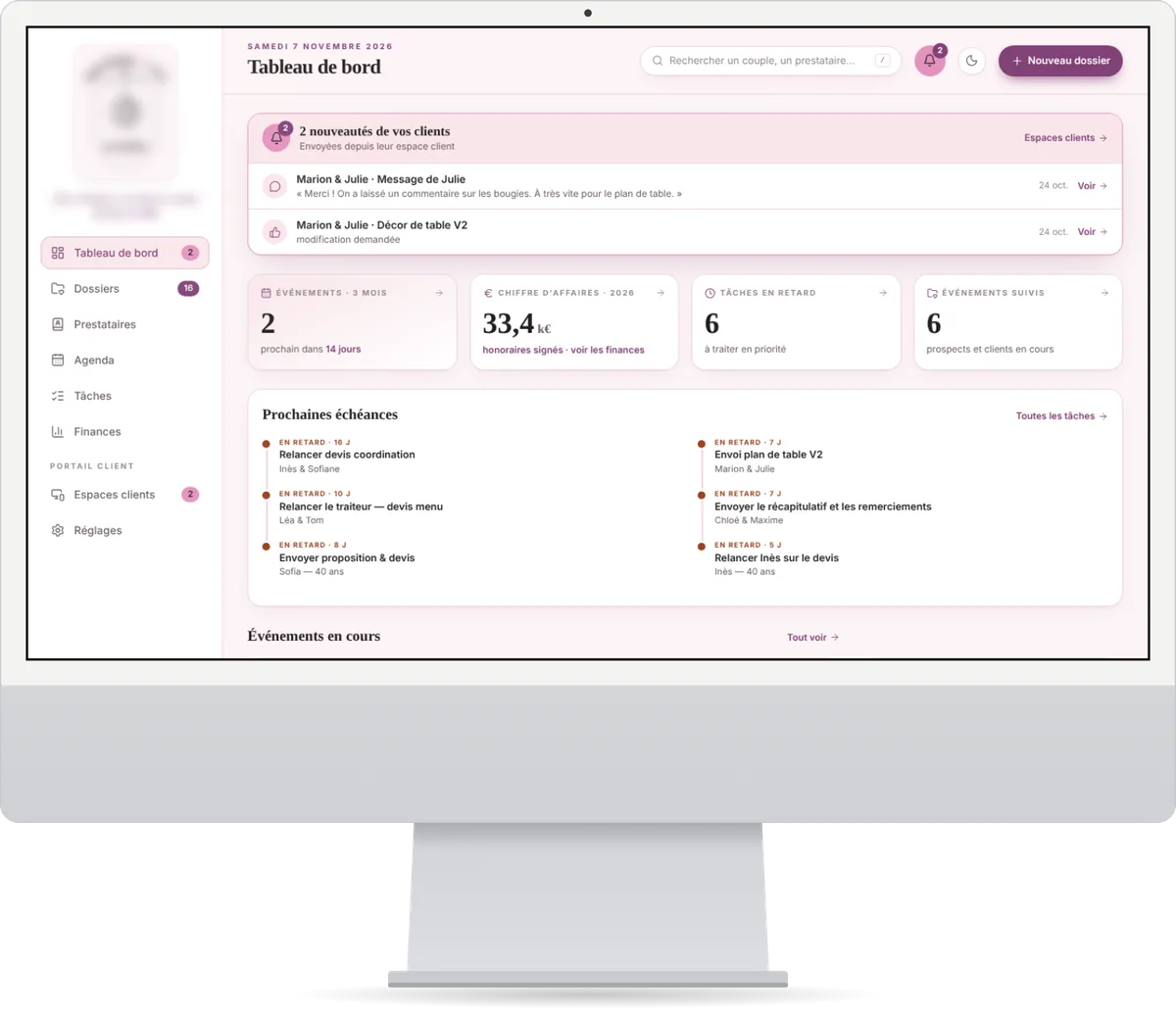
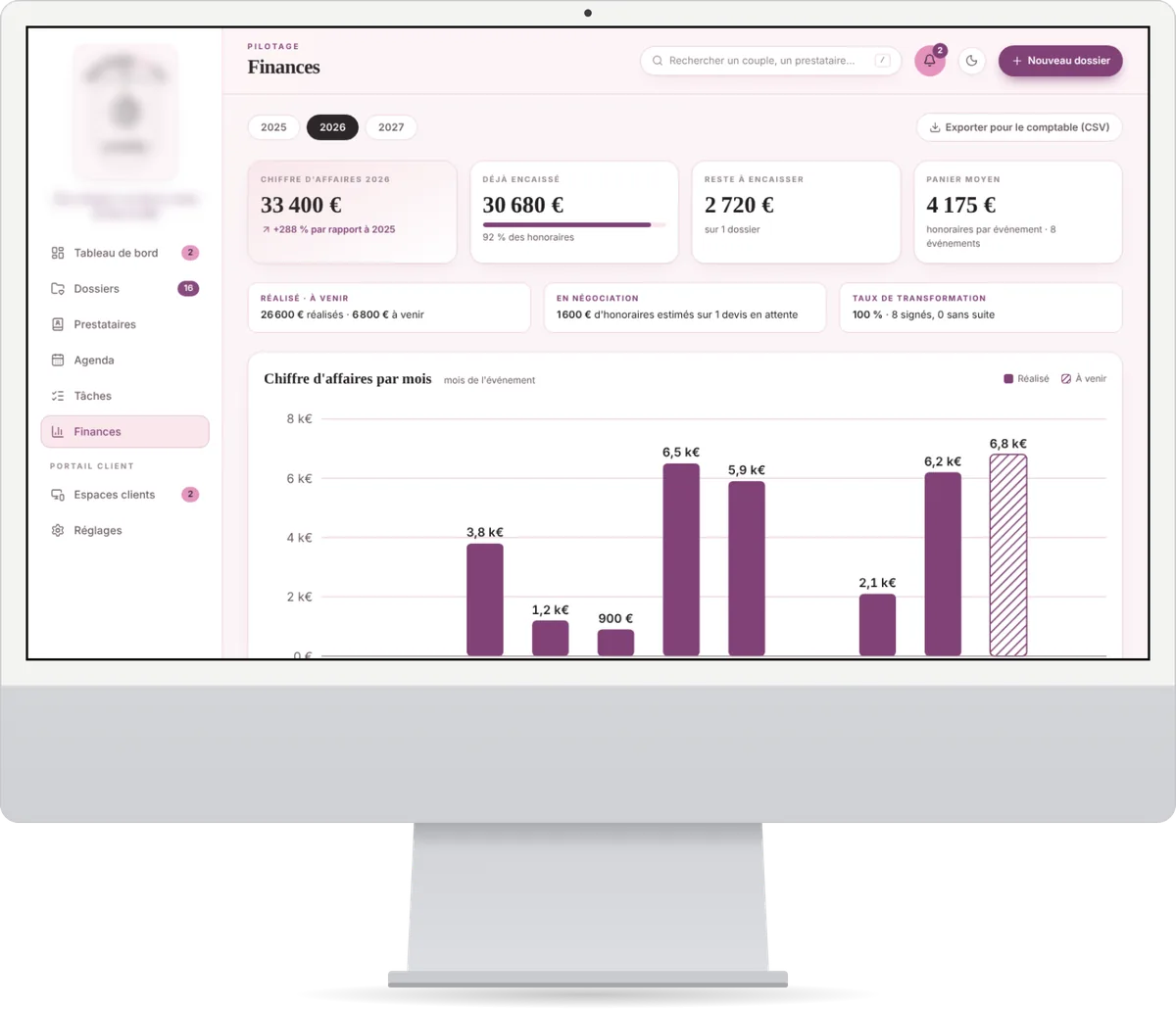
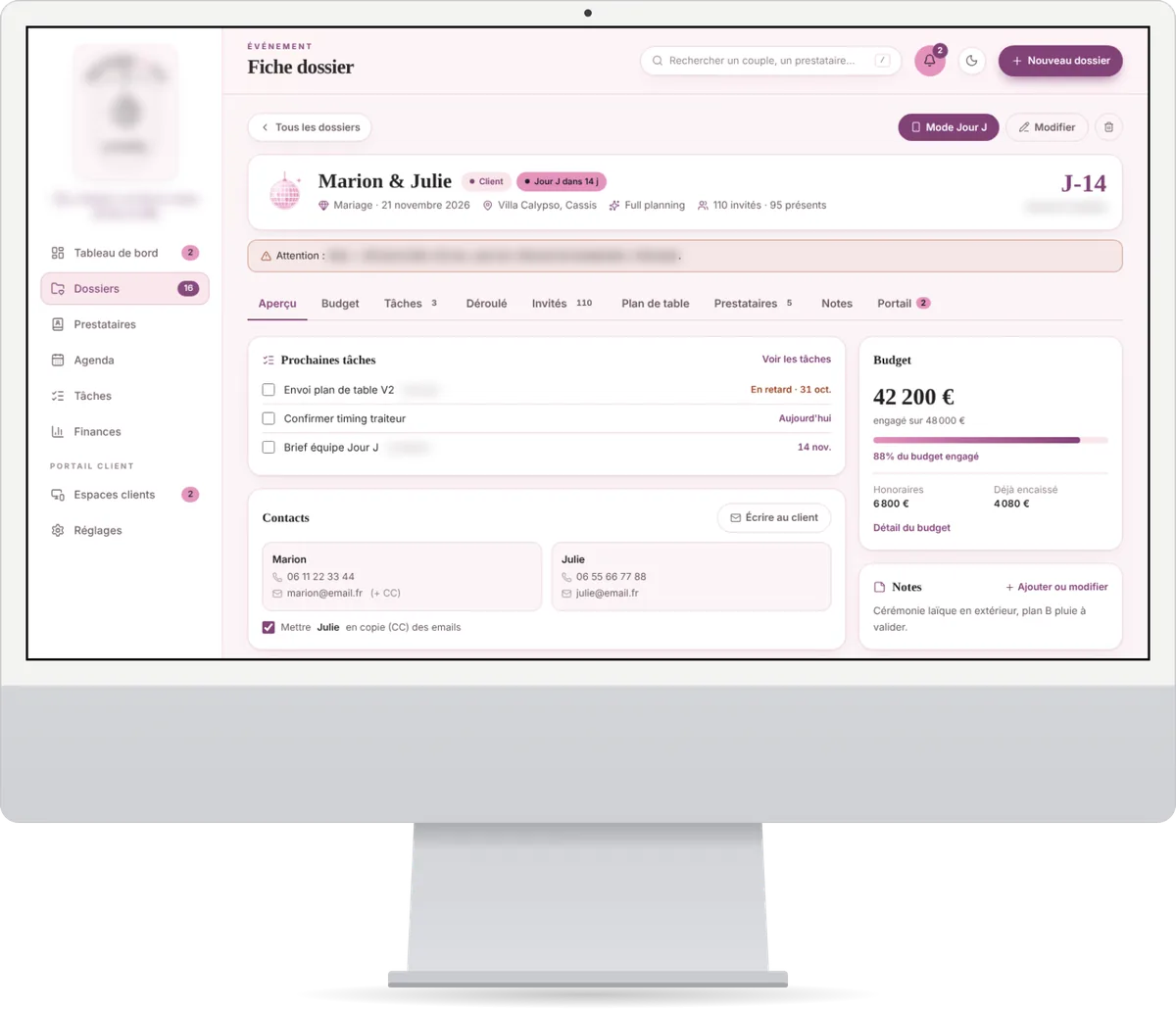
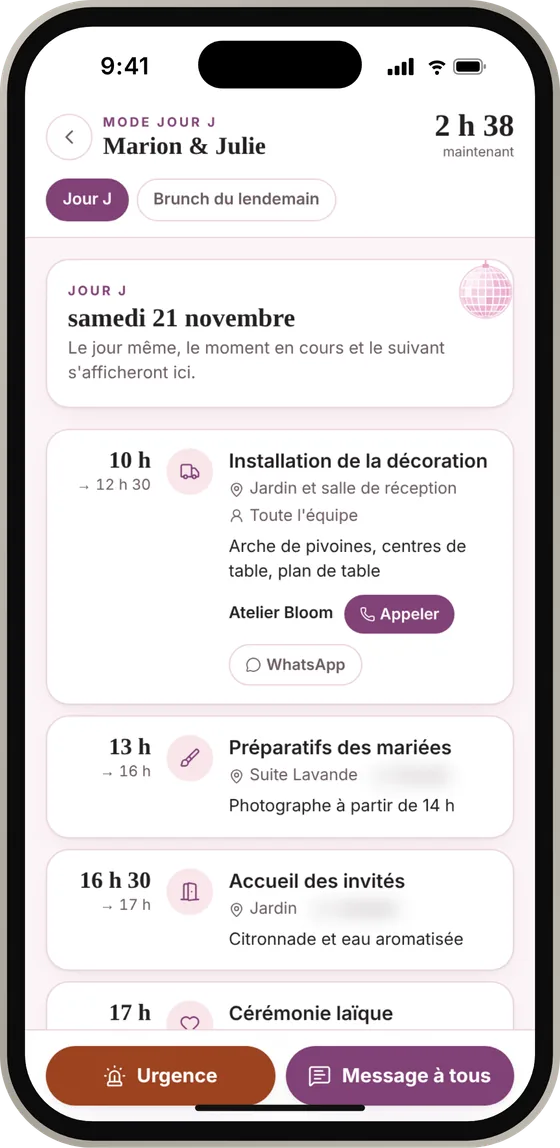
Couples’ files, budgets, suppliers and the running order of the big day, all in a single application.

  • Revenue tracked month by month
  • An online space for each couple
  • A Big Day mode on the team’s phones
Visit the agency’s website

The agency’s dashboard: updates sent by clients, revenue, overdue tasks, upcoming deadlines. Finances page: revenue for the year and a monthly bar chart. A wedding file: countdown, tasks, committed budget and the couple’s contacts.
Big Day mode on a phone: the hour-by-hour running order, with emergency and team message buttons.

Animal health

Two veterinary clinics

Both clinics’ stock in one place, to order on time and never discover a shortage at the worst possible moment.
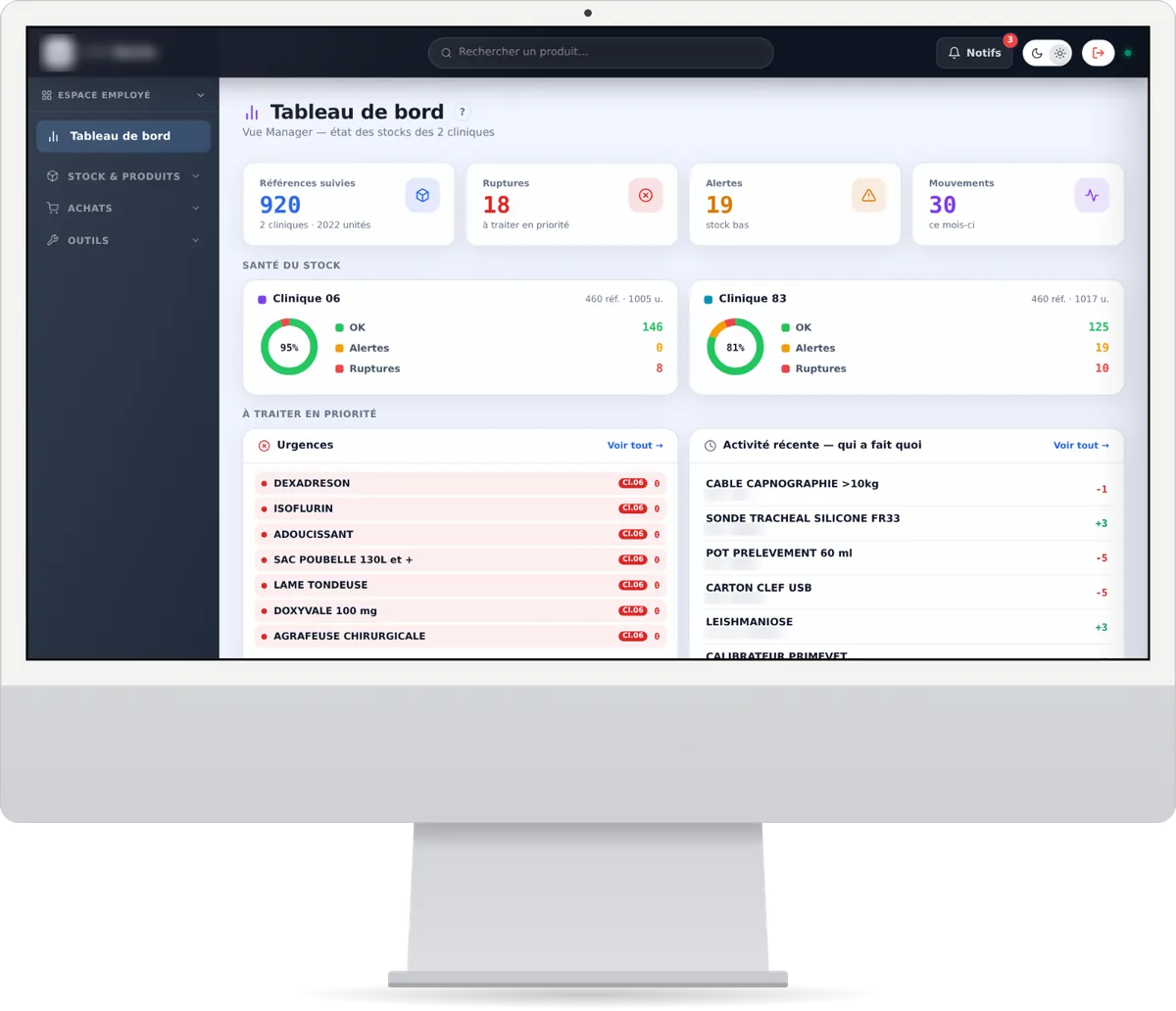
  • Stock health at a glance
  • Urgent orders at the top of the list
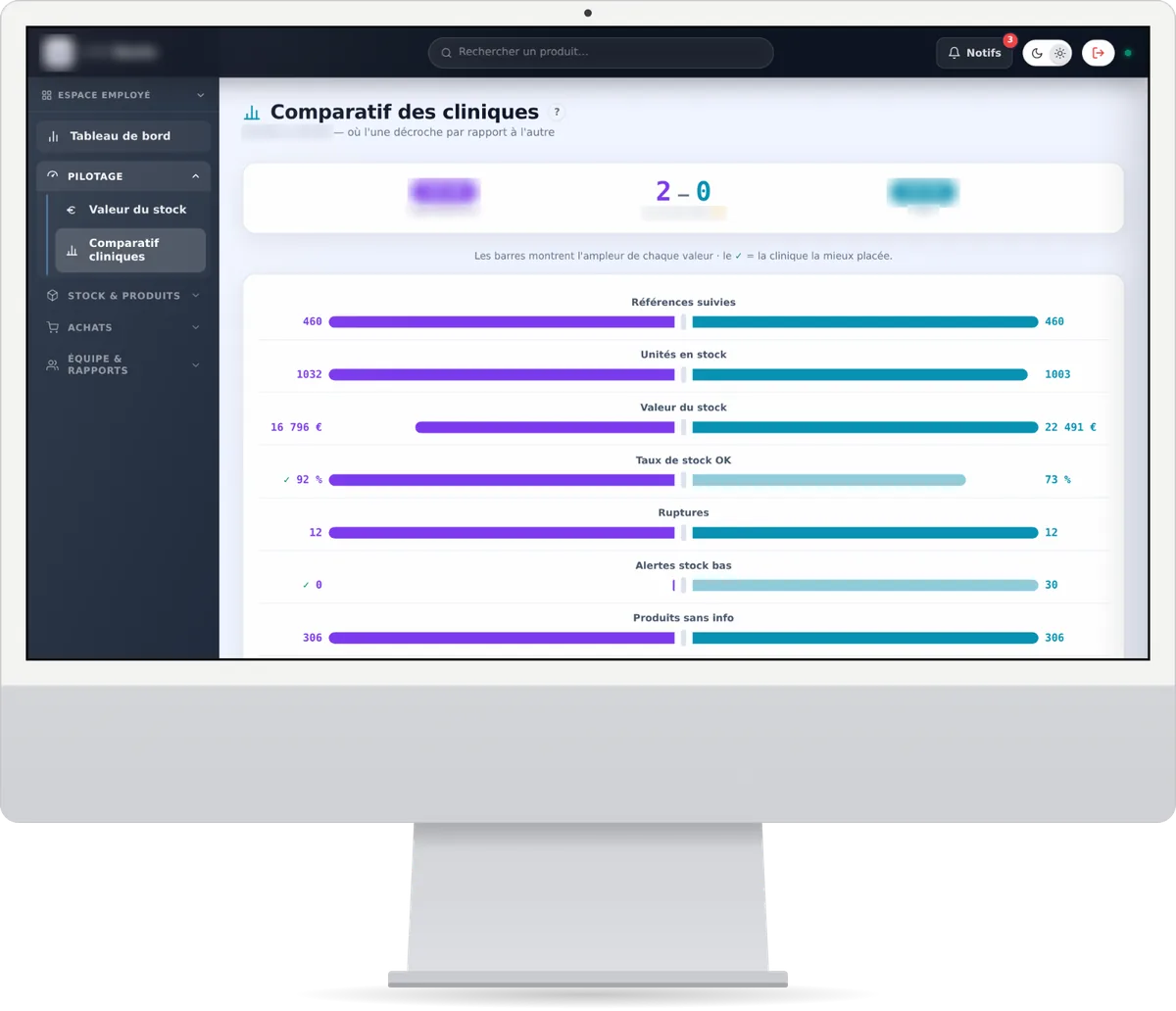
  • A side-by-side comparison of both clinics
Stock dashboard: tracked items, shortages, alerts, movements and stock health rings for each clinic. Comparison of the two clinics: side-by-side bars for items, units, stock value and shortages.

Farming

A livestock farm

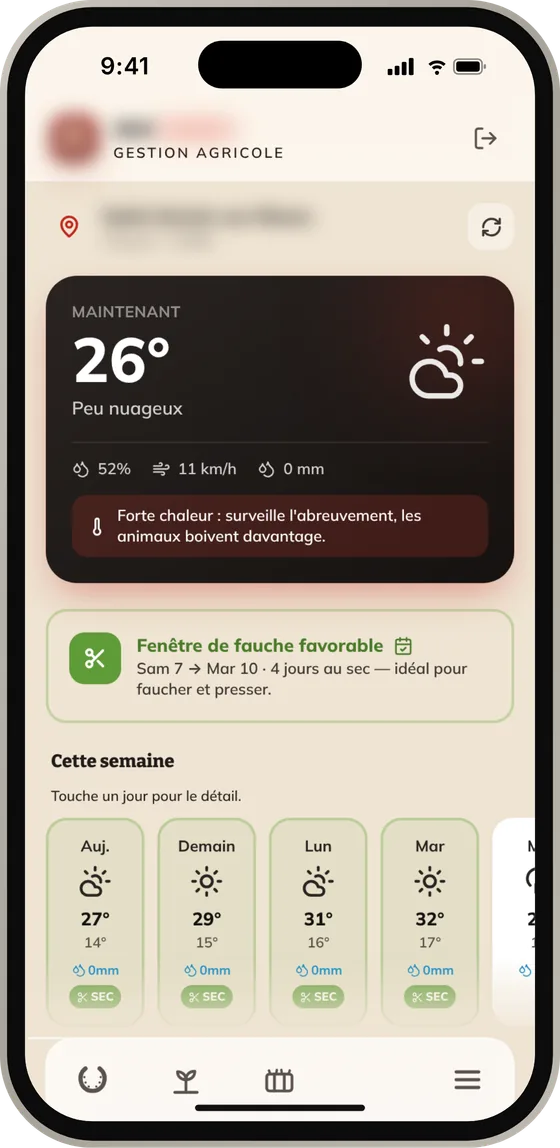
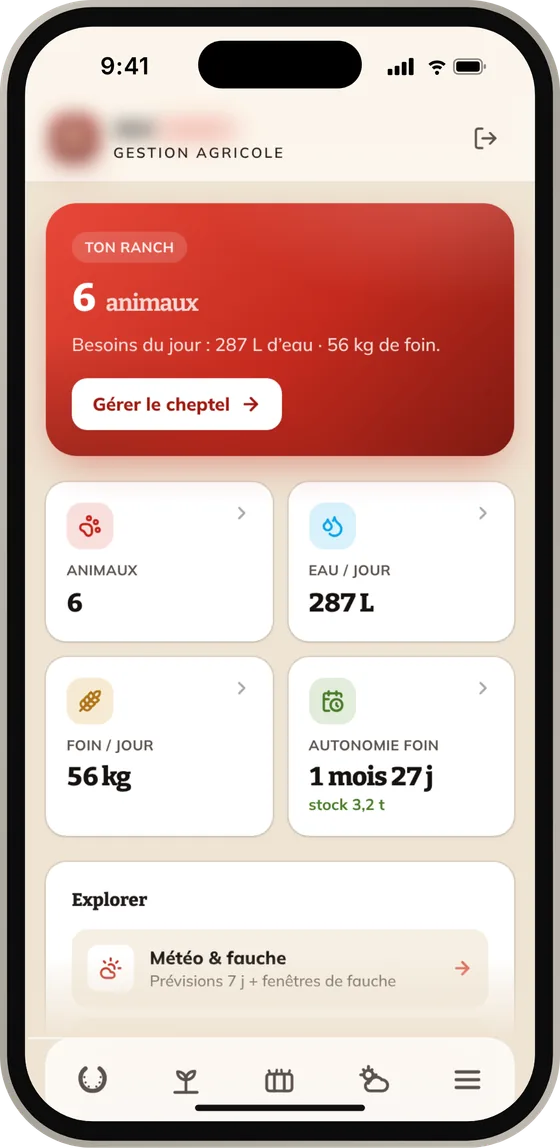
The herd, the fields and the hay stock, all managed from a phone.

  • The herd’s needs calculated every day
  • Available grass, field by field
  • Mowing windows based on the weather

Also works in the middle of a field.
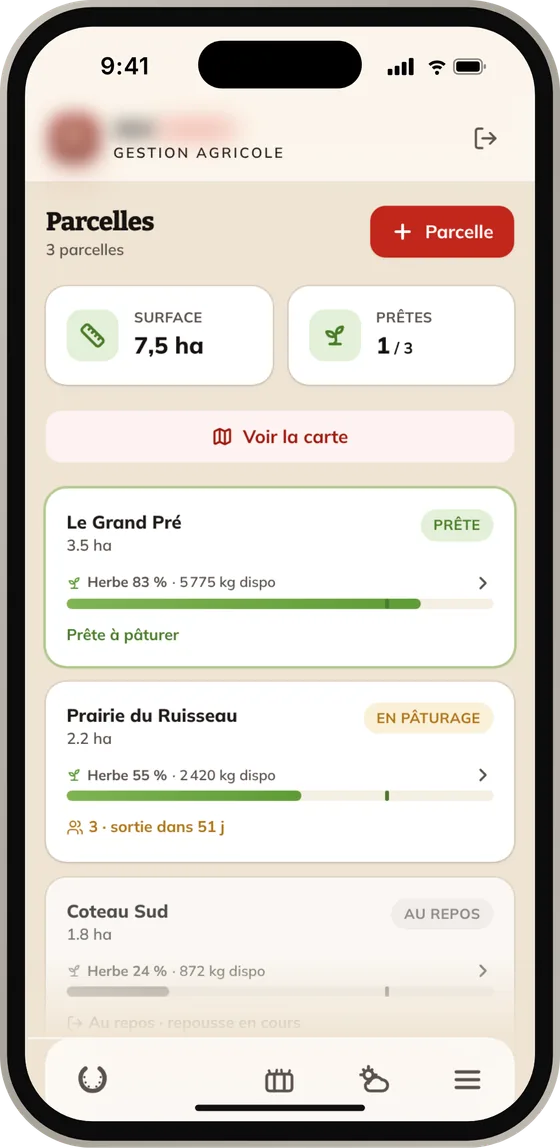
Weather screen: current temperature, heat alert, a good mowing window and the week’s forecast.
Home screen: number of animals, water and hay needed per day, how long the hay stock will last.
Fields screen: area, condition of each field and available grass in coloured bars.

Retail

A home décor wholesaler and its stores

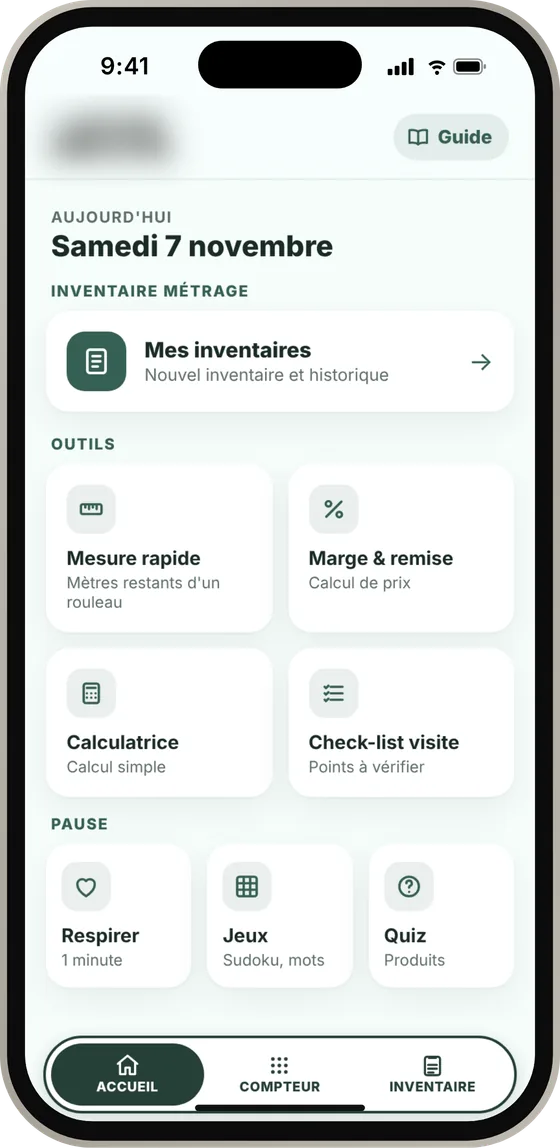
Roll inventory is done in store, on a phone, with no account and nothing to install. The wholesaler offers it to its customers.

  • Remaining metres calculated from a single measurement
  • Inventories sent as a PDF or a spreadsheet
  • Quizzes and games to train the teams

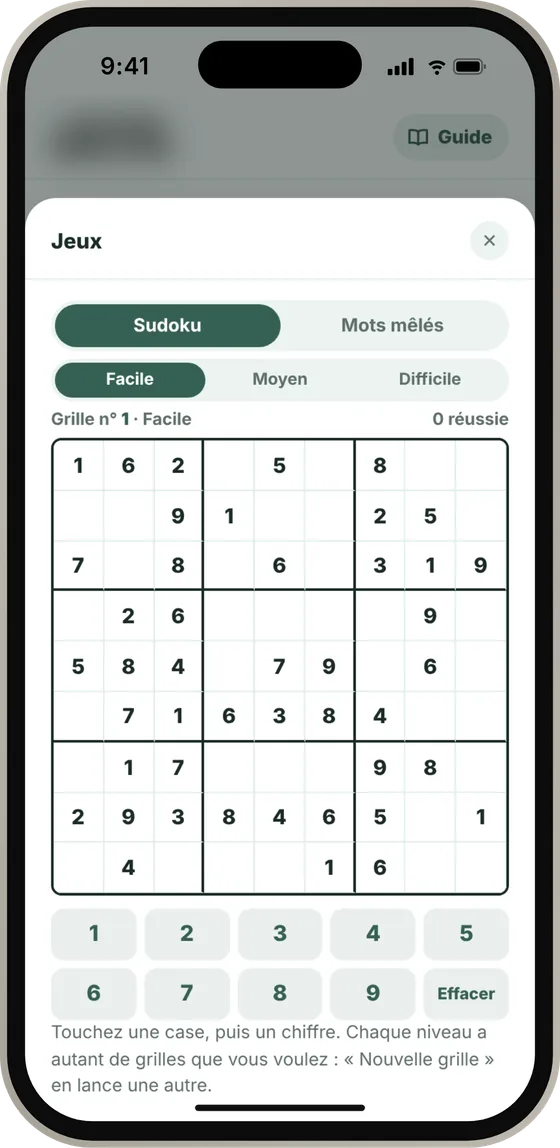
Yes, there’s a sudoku. Breaks count too.
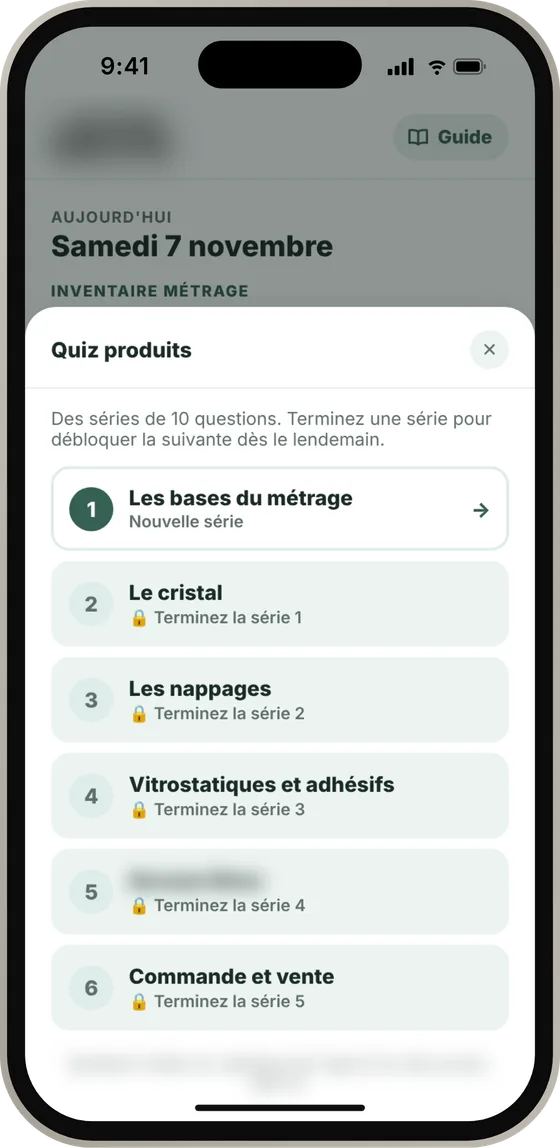
Product quiz: six series of questions that unlock day after day.
Home screen: access to inventories and tools for measuring, margin calculation and visit checklists.
Games: a sudoku grid for breaks.

Online advice

Kompa, the site that picks the right Mac

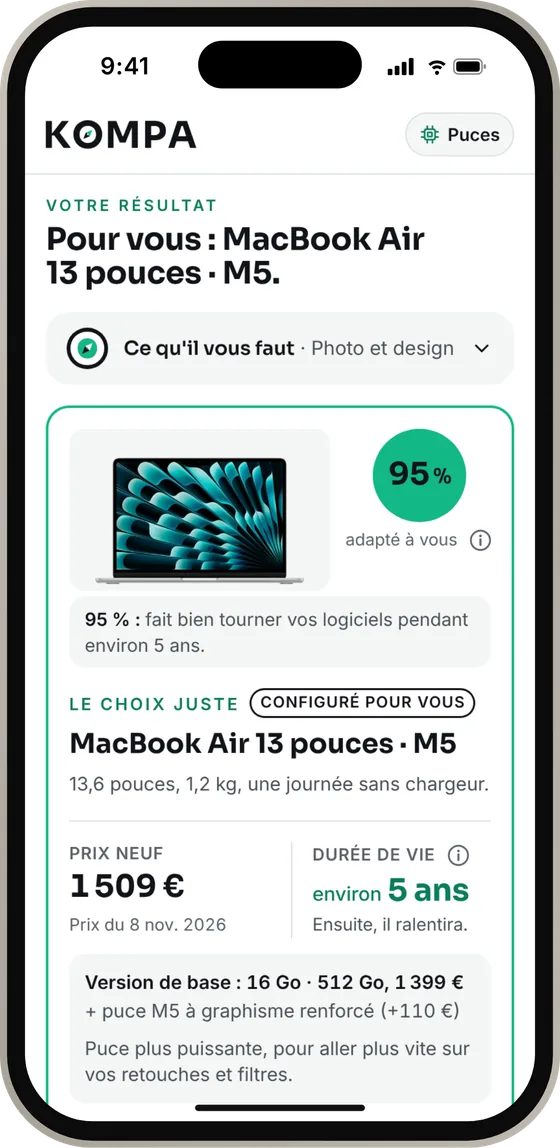
Tell it which software you use and how you work. Kompa recommends the Mac you need, jargon-free, with its price and expected lifespan.
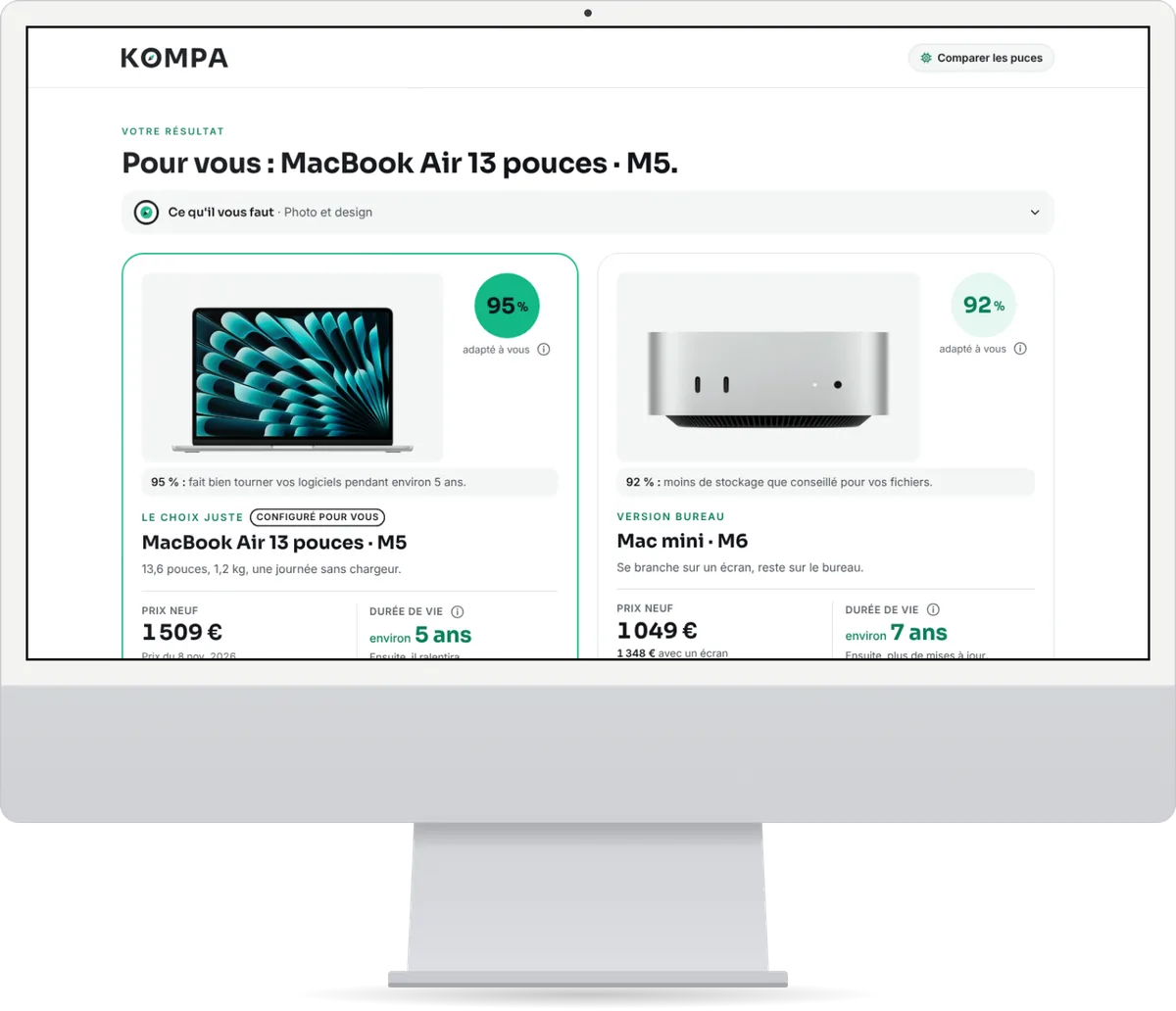
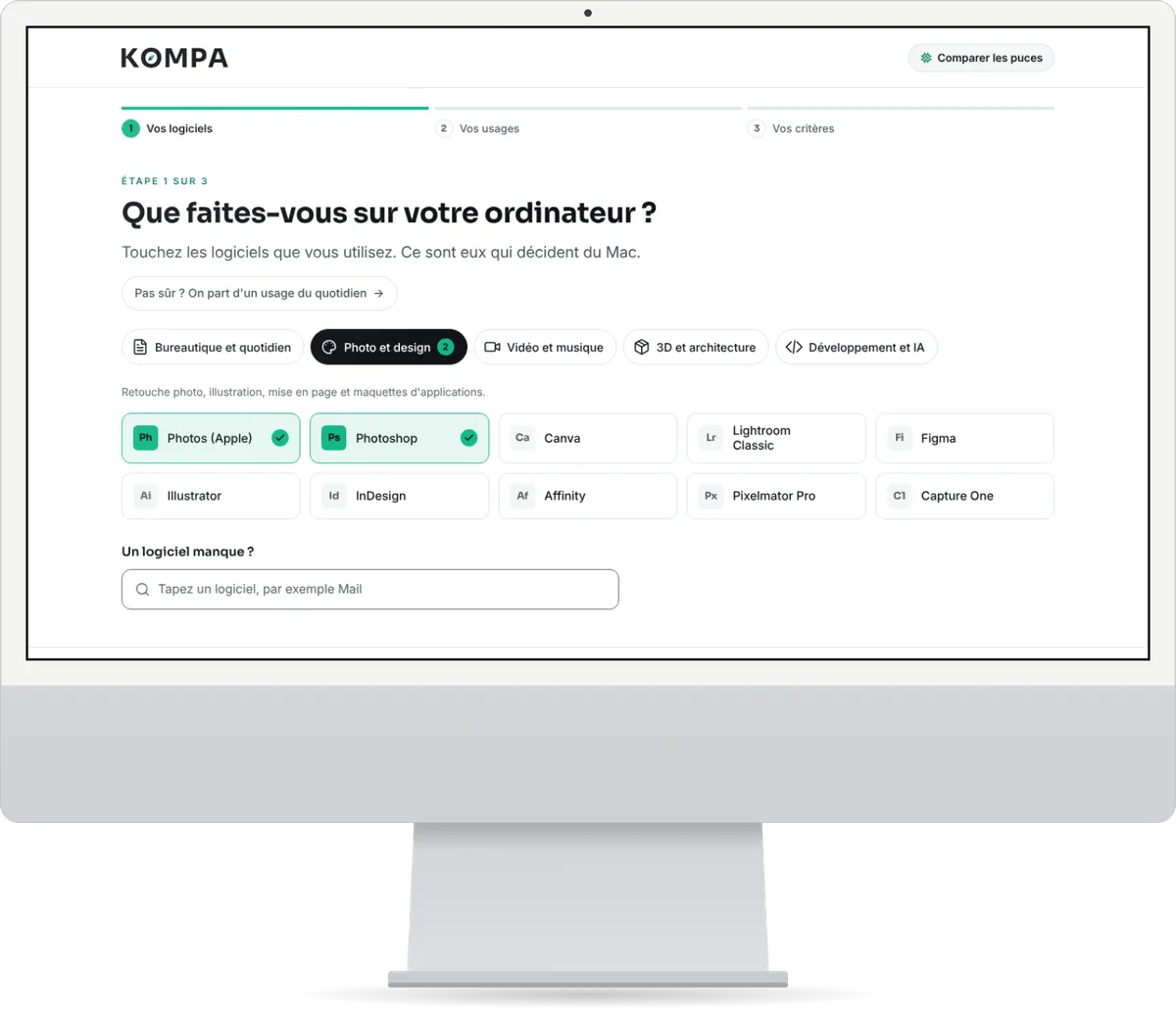
  • A recommendation in three steps
  • Apple’s catalogue checked every week
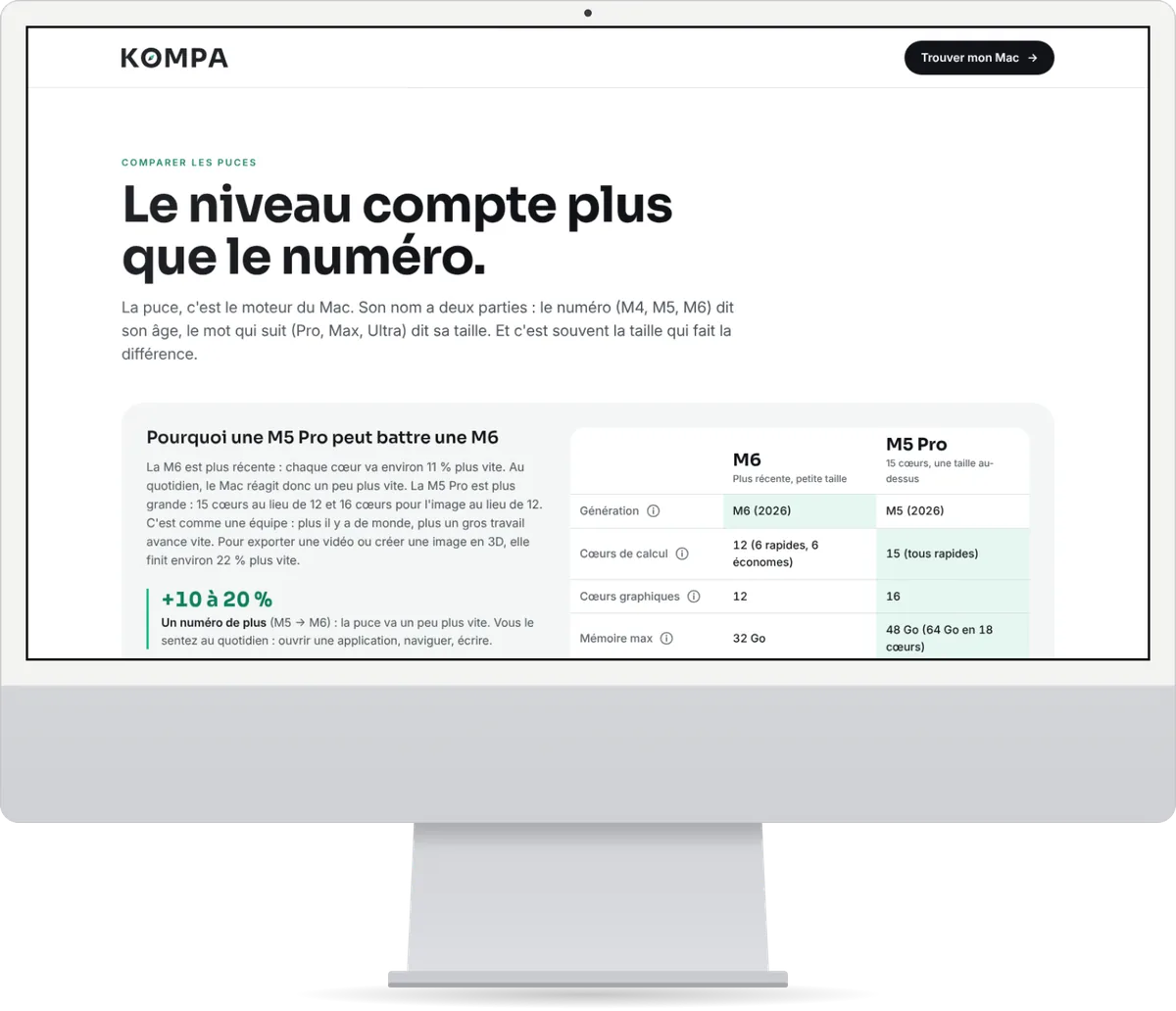
  • Chips compared in plain language

Try Kompa

Kompa result: two recommended Macs with their match score, price and lifespan. First step: choosing the software you use, grouped by purpose. Apple chips compared in simple terms, in a side-by-side table.
Kompa recommendation on a phone: a 95% match MacBook Air, with price and lifespan.

Who it’s for

We work for people who have no time to waste on their software.

Independent professionals

Every week you redo the same data entry, the same follow-ups, the same documents.

We automate those tasks the way you already do them, without changing your method.

Leave requests, case tracking, meeting reports.

Small business owners

You juggle tools that don’t talk to each other: a spreadsheet here, some software there, and retyping in between.

We bring them together in a single application. You follow every step of the project.

Stock, inventories, team schedules.

Freelancers

You want a simple tool, without paying a subscription for features you never open.

We build the essentials. You always talk to the same person, from the first conversation to go-live.

Quotes, client follow-up, calendar.

A bit of all three? We get it.

Your project

Let’s talk about your work before we talk about software.

Tell us which task takes up most of your time. We’ll suggest the tool that makes it simpler.

Let’s talk about your project

Coffee’s on us.
On a video call, you’ll have to make your own.